
Error executing template "Designs/Swift/Paragraph/Swift_ProductComponentParagraph.cshtml"
System.ArgumentException: Could not write parsed file: C:\inetpub\solutions\Goecker-2022-Prod\Files\Templates\Designs\Swift\_parsed\Swift_ProductComponentEdit.parsed.cshtml System.IO.IOException: The process cannot access the file 'C:\inetpub\solutions\Goecker-2022-Prod\Files\Templates\Designs\Swift\_parsed\Swift_ProductComponentEdit.parsed.cshtml' because it is being used by another process.
   at System.IO.__Error.WinIOError(Int32 errorCode, String maybeFullPath)
   at System.IO.FileStream.Init(String path, FileMode mode, FileAccess access, Int32 rights, Boolean useRights, FileShare share, Int32 bufferSize, FileOptions options, SECURITY_ATTRIBUTES secAttrs, String msgPath, Boolean bFromProxy, Boolean useLongPath, Boolean checkHost)
   at System.IO.FileStream..ctor(String path, FileMode mode, FileAccess access, FileShare share, Int32 bufferSize, FileOptions options, String msgPath, Boolean bFromProxy, Boolean useLongPath, Boolean checkHost)
   at System.IO.StreamWriter.CreateFile(String path, Boolean append, Boolean checkHost)
   at System.IO.StreamWriter..ctor(String path, Boolean append, Encoding encoding, Int32 bufferSize, Boolean checkHost)
   at System.IO.StreamWriter..ctor(String path, Boolean append, Encoding encoding)
   at Dynamicweb.Core.Helpers.TextFileHelper.WriteTextFile(String value, String path, Boolean appendToFile, Encoding encoding)
   at Dynamicweb.Rendering.Designer.Parser.Parse(Layout l)
   at Dynamicweb.Rendering.Designer.Parser.Parse(Layout l)
   at Dynamicweb.Rendering.Designer.Layout.CheckParsed()
   at Dynamicweb.Rendering.Designer.Layout..ctor(FileInfo f, Design design)
   at Dynamicweb.Rendering.Designer.Layout.GetLayoutByLocation(String path)
   at Dynamicweb.Content.Layouts.LayoutLocator.FindLayout(Page page, String layoutName)
   at Dynamicweb.Frontend.Content.GetLayoutForDevice(Page page, DeviceType device)
   at Dynamicweb.Frontend.Content.CreateGridContent(Int32 contentId, Boolean ignoreVisualEdit)
   at Dynamicweb.Frontend.Content.RenderExternalGrid(Int32 pageId, String container)
   at CompiledRazorTemplates.Dynamic.RazorEngine_a9b11c75cbed4fda9f487fc3daa8641b.Execute() in C:\inetpub\solutions\Goecker-2022-Prod\Files\Templates\Designs\Swift\Paragraph\Swift_ProductComponentParagraph.cshtml:line 39
   at RazorEngine.Templating.TemplateBase.RazorEngine.Templating.ITemplate.Run(ExecuteContext context, TextWriter reader)
   at RazorEngine.Templating.RazorEngineService.RunCompile(ITemplateKey key, TextWriter writer, Type modelType, Object model, DynamicViewBag viewBag)
   at RazorEngine.Templating.RazorEngineServiceExtensions.<>c__DisplayClass16_0.<RunCompile>b__0(TextWriter writer)
   at RazorEngine.Templating.RazorEngineServiceExtensions.WithWriter(Action`1 withWriter)
   at Dynamicweb.Rendering.RazorTemplateRenderingProvider.Render(Template template)
   at Dynamicweb.Rendering.TemplateRenderingService.Render(Template template)
   at Dynamicweb.Rendering.Template.RenderRazorTemplate()

1 @inherits Dynamicweb.Rendering.ViewModelTemplate<Dynamicweb.Frontend.ParagraphViewModel> 2 3 @{ 4 int itemSourcePageId = Convert.ToInt32(Model.Item.GetRawValueString("ComponentSource", "0")); 5 6 var pageService = new Dynamicweb.Content.PageService(); 7 itemSourcePageId = itemSourcePageId > 0 && pageService.GetPageOrLanguage(itemSourcePageId, Pageview.AreaID) != null ? pageService.GetPageOrLanguage(itemSourcePageId, Pageview.AreaID).ID : itemSourcePageId; 8 } 9 10 @if (itemSourcePageId != 0) { 11 var page = Dynamicweb.Content.Services.Pages.GetPage(itemSourcePageId); 12 13 if (page != null) { 14 var pageViewModel = Dynamicweb.Frontend.ContentViewModelFactory.CreatePageInfoViewModel(page); 15 string itemTheme = !string.IsNullOrWhiteSpace(pageViewModel.Item.GetRawValueString("Theme")) ? " theme " + pageViewModel.Item.GetRawValueString("Theme").Replace(" ", "").Trim().ToLower() : string.Empty; 16 17 string contentPadding = pageViewModel.Item.GetRawValueString("ContentPadding", ""); 18 contentPadding = contentPadding == "none" ? "p-0" : contentPadding; 19 contentPadding = contentPadding == "small" ? "p-2 p-md-3" : contentPadding; 20 contentPadding = contentPadding == "large" ? "p-4 p-md-5" : contentPadding; 21 contentPadding = contentPadding == "small-x" ? "px-2 px-md-3" : contentPadding; 22 contentPadding = contentPadding == "large-x" ? "px-4 px-md-5" : contentPadding; 23 24 string layout = Model.Item.GetRawValueString("Layout", "top"); 25 switch (layout) 26 { 27 case "top": 28 case "alignLeftMiddle": 29 layout = ""; 30 break; 31 case "center": 32 case "alignLeft": 33 layout = "d-flex align-items-center text-start"; 34 break; 35 } 36 37 <div class="@contentPadding @itemTheme @(layout) h-100 item_@Model.Item.SystemName.ToLower()"> 38 <div class="w-100"> 39 @RenderGrid(itemSourcePageId) 40 </div> 41 </div> 42 } else if (Pageview.IsVisualEditorMode) { 43 <div class="alert alert-dark m-0" role="alert"> 44 <span>@Translate("The selected component does not exist anymore")</span> 45 </div> 46 } 47 } else if (Pageview.IsVisualEditorMode) { 48 <div class="alert alert-dark m-0" role="alert"> 49 <span>@Translate("Product component: The component will be shown here, if any")</span> 50 </div> 51 } 52

Beskrivning

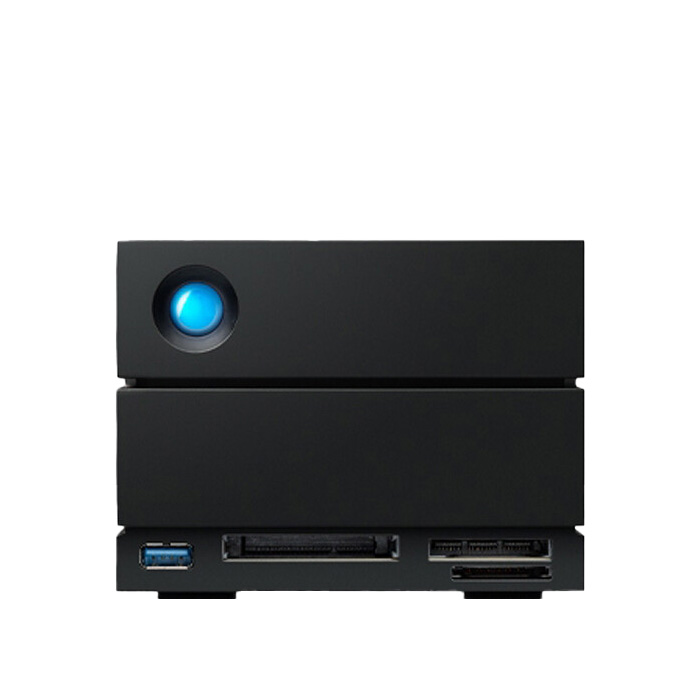
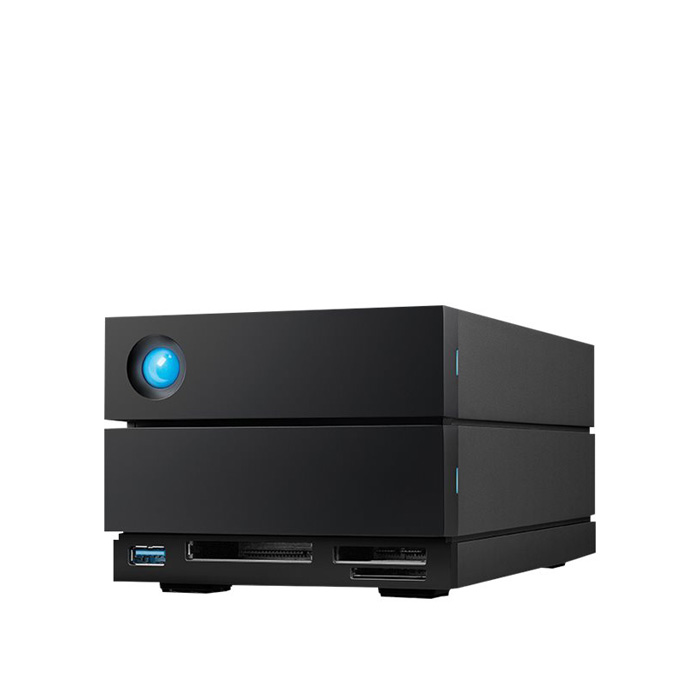
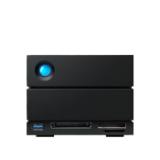
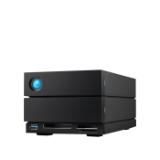
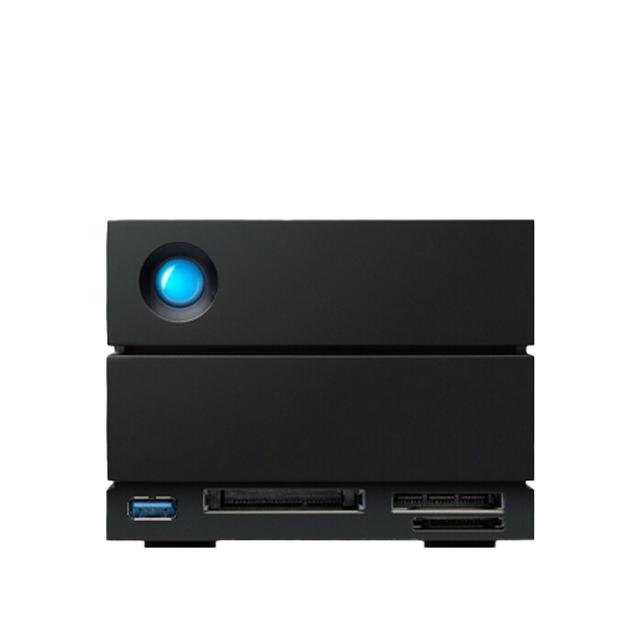
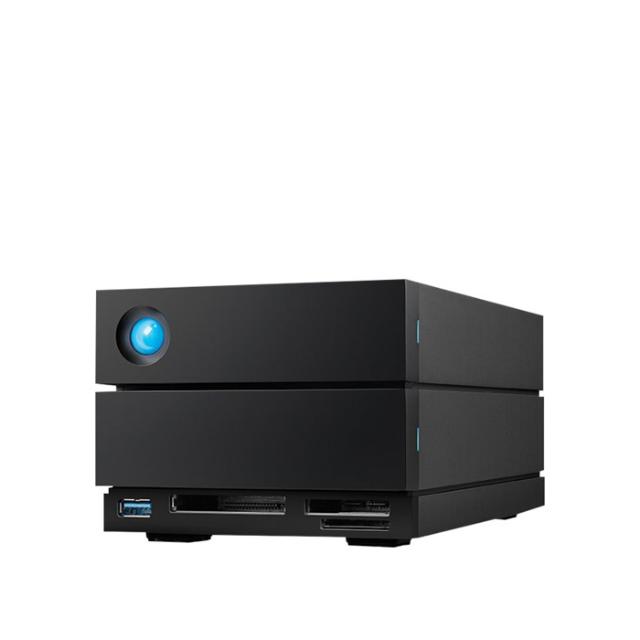
Lacie 48TB 2big Dock

Perfect for PC, iPad USB-C, and MAC — LaCie 2big Dock is a desktop RAID that comes loaded with massive storage and speeds up to 550MB/s. Compatible with USB4, USB 3.2, USB 3.0, and Thunderbolt 4, the dual Thunderbolt 4 ports can daisy-chain up to five Thunderbolt devices. Plus, it comes with hot-swappable IronWolf Pro enterprise-class drives for long-term performance.

Store. Dock. Streamline.

Whether you’re a seasoned creative pro or just getting started, the LaCie 2big family has something for everyone: a docking solution with an array of helpful ports and card slots; hardware RAID 0/1 for controlling speed, capacity, or data redundancy; huge capacity for archiving; smooth USB-C and Thunderbolt 4 speeds; Rescue Data Recovery services for long-term peace of mind; and enterprise-class drives dishing out intense performance so you can do what you do — better.

Great innovation

Great innovation is often born from great challenges. So, when modern USB-C laptops eliminated many of the ports and slots crucial to the creative process, we went straight to the drawing board. The result is 2big Dock — a Thunderbolt solution that features modern media card slots for ultra-streamlined workflows.

  • USB 3.2 Gen2 Hub

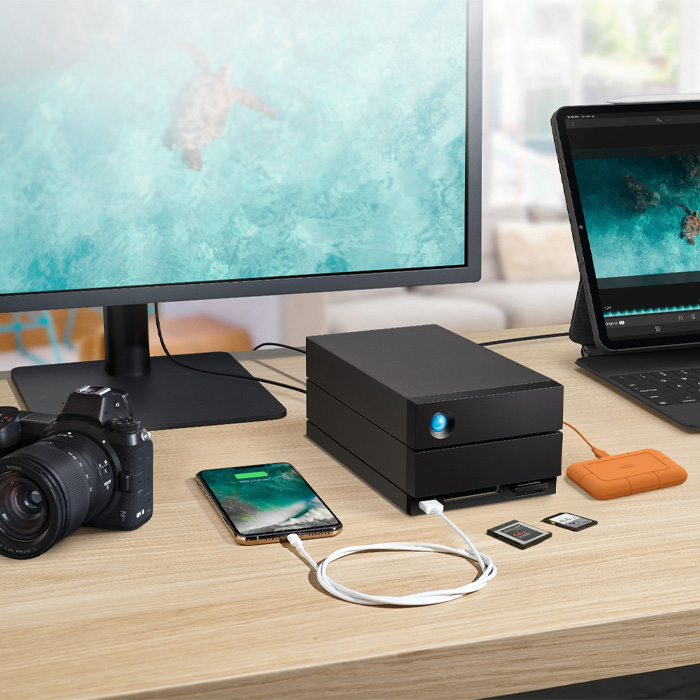
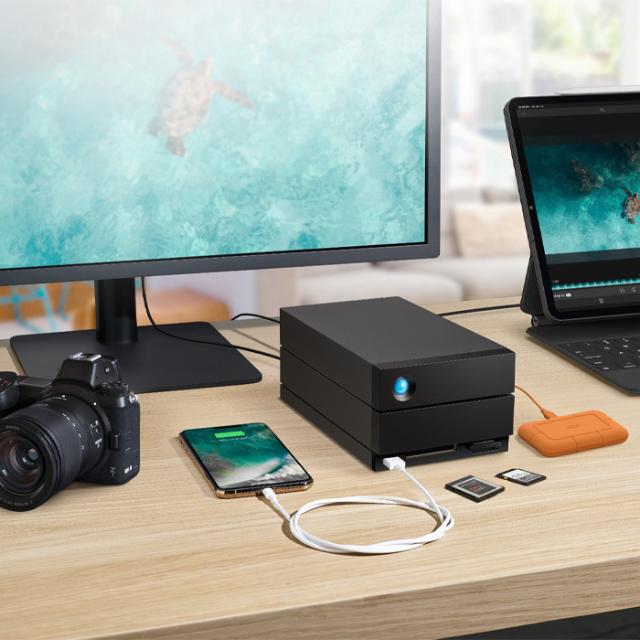
Via the front-facing hub, charge your phone or connect a shuttle drive or camera to offload footage and files.

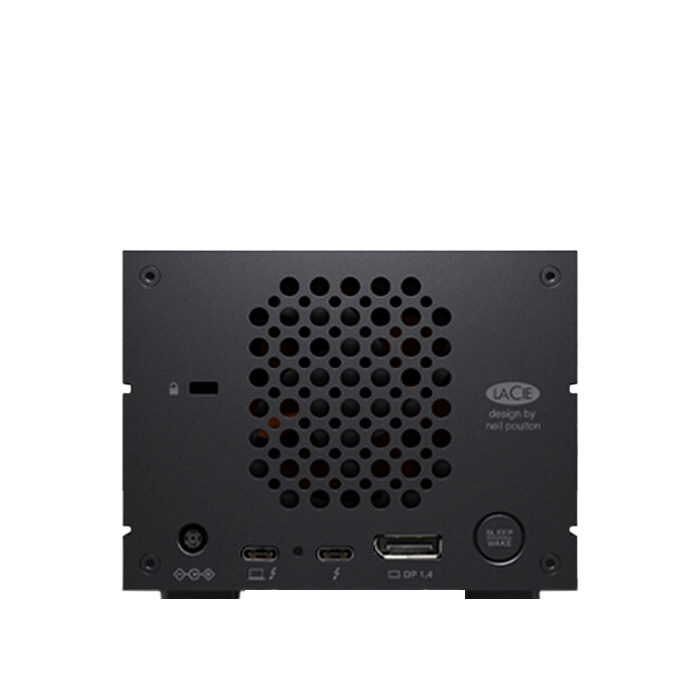
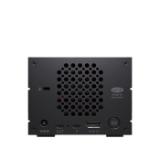
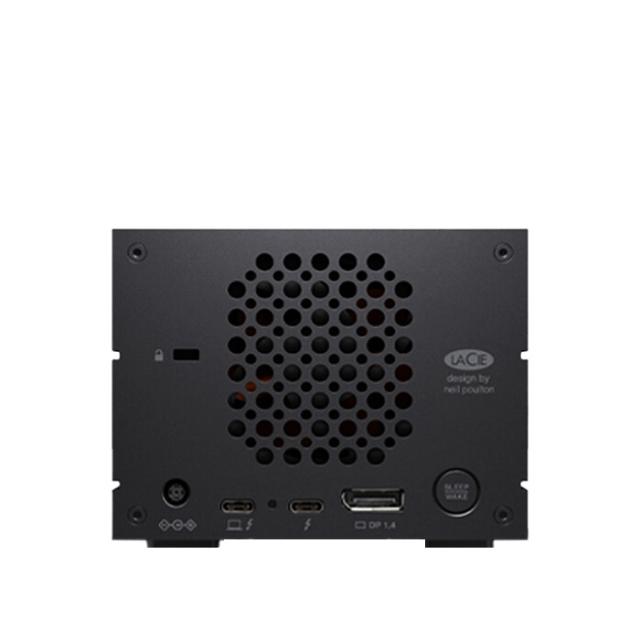
  • Dual Thunderbolt Ports

Daisy chain up to five additional Thunderbolt devices or one USB-C device.

  • CFexpress Type B, CFast 2.0, and SD Card Slots

Directly ingest files from your camera, drone and other devices with the front-facing advanced memory card slots.

  • DisplayPort 1.4

Connect an 8K (30 Hz) or 4K (120 Hz) monitor via the DisplayPort.

Hardware RAID. Simplified

Whether you’re new to 2-bay hardware RAID or a seasoned pro, LaCie RAID Manager makes it easy to configure any 2big for speed, capacity, or data redundancy. It even helps you monitor the system’s health via email notifications.

  • RAID 0 - For Performance - Stripe Mode

Drives are striped together and function like one large drive, enabling max speed and capacity.

  • RAID 1 - For Redundancy – Mirror Mode

Drives mirror each other, meaning data is always the same on both drives. If one fails, the other has your back.

  • JBOD - For Flexibility - Just a Bunch of Disks

Drives function independently, offering two separate drives in one enclosure.

Fierce Internal Hard Drives

IronWolf Pro enterprise-class drives live inside our latest-gen 2big solutions — and they’re the secret ingredient to sprinting past goals and deadlines. Supporting up to 300 TB/year workloads, they’re specifically designed for RAID and high-speed 7,200 RPM performance, delivering smooth power management, massive capacity, and 24×7 reliability. And for ultimate peace of mind, they’re covered by a 5-year warranty.

Works with iPad USB-C

Bring extra storage to your Apple iPad USB-C. Simply connect your LaCie drive to iPad’s USB-C port and enjoy increased capacity. Plus, when connecting with the 2big Dock, it will power your iPad USB-C and you get all the benefits of its docking station — USB 3.2 Gen 2 Type A port, CFexpress Type B card reader, CFast 2.0 card reader, SD card reader, and even connect your monitors.

In the Box:

  • Lacie 48TB 2big Dock
  • USB 3.2 Gen 2 (10 Gb/s) cable
  • External power supply
  • Quick Installation Guide

Specifikationer

Tillverkare Lacie
Kategori Hårddiskar
Kapacitet 48
Interface USB-C, USB4, USB 3.0, Thunderbolt 4, Thunderbolt 3
Cooling Aluminium enclosure, Thermoregulated Noctua‭‭ cooling fan
RAID modes RAID 0 / 1 / JBOD