
Error executing template "Designs/Swift/Paragraph/Swift_ProductComponentParagraph.cshtml"
System.ArgumentException: Could not write parsed file: C:\inetpub\solutions\Goecker-2022-Prod\Files\Templates\Designs\Swift\_parsed\Swift_ProductComponentEdit.parsed.cshtml System.IO.IOException: The process cannot access the file 'C:\inetpub\solutions\Goecker-2022-Prod\Files\Templates\Designs\Swift\_parsed\Swift_ProductComponentEdit.parsed.cshtml' because it is being used by another process.
   at System.IO.__Error.WinIOError(Int32 errorCode, String maybeFullPath)
   at System.IO.FileStream.Init(String path, FileMode mode, FileAccess access, Int32 rights, Boolean useRights, FileShare share, Int32 bufferSize, FileOptions options, SECURITY_ATTRIBUTES secAttrs, String msgPath, Boolean bFromProxy, Boolean useLongPath, Boolean checkHost)
   at System.IO.FileStream..ctor(String path, FileMode mode, FileAccess access, FileShare share, Int32 bufferSize, FileOptions options, String msgPath, Boolean bFromProxy, Boolean useLongPath, Boolean checkHost)
   at System.IO.StreamWriter.CreateFile(String path, Boolean append, Boolean checkHost)
   at System.IO.StreamWriter..ctor(String path, Boolean append, Encoding encoding, Int32 bufferSize, Boolean checkHost)
   at System.IO.StreamWriter..ctor(String path, Boolean append, Encoding encoding)
   at Dynamicweb.Core.Helpers.TextFileHelper.WriteTextFile(String value, String path, Boolean appendToFile, Encoding encoding)
   at Dynamicweb.Rendering.Designer.Parser.Parse(Layout l)
   at Dynamicweb.Rendering.Designer.Parser.Parse(Layout l)
   at Dynamicweb.Rendering.Designer.Layout.CheckParsed()
   at Dynamicweb.Rendering.Designer.Layout..ctor(FileInfo f, Design design)
   at Dynamicweb.Rendering.Designer.Layout.GetLayoutByLocation(String path)
   at Dynamicweb.Content.Layouts.LayoutLocator.FindLayout(Page page, String layoutName)
   at Dynamicweb.Frontend.Content.GetLayoutForDevice(Page page, DeviceType device)
   at Dynamicweb.Frontend.Content.CreateGridContent(Int32 contentId, Boolean ignoreVisualEdit)
   at Dynamicweb.Frontend.Content.RenderExternalGrid(Int32 pageId, String container)
   at CompiledRazorTemplates.Dynamic.RazorEngine_699e778d555249c1a82d2dcc59b31992.Execute() in C:\inetpub\solutions\Goecker-2022-Prod\Files\Templates\Designs\Swift\Paragraph\Swift_ProductComponentParagraph.cshtml:line 39
   at RazorEngine.Templating.TemplateBase.RazorEngine.Templating.ITemplate.Run(ExecuteContext context, TextWriter reader)
   at RazorEngine.Templating.RazorEngineService.RunCompile(ITemplateKey key, TextWriter writer, Type modelType, Object model, DynamicViewBag viewBag)
   at RazorEngine.Templating.RazorEngineServiceExtensions.<>c__DisplayClass16_0.<RunCompile>b__0(TextWriter writer)
   at RazorEngine.Templating.RazorEngineServiceExtensions.WithWriter(Action`1 withWriter)
   at Dynamicweb.Rendering.RazorTemplateRenderingProvider.Render(Template template)
   at Dynamicweb.Rendering.TemplateRenderingService.Render(Template template)
   at Dynamicweb.Rendering.Template.RenderRazorTemplate()

1 @inherits Dynamicweb.Rendering.ViewModelTemplate<Dynamicweb.Frontend.ParagraphViewModel> 2 3 @{ 4 int itemSourcePageId = Convert.ToInt32(Model.Item.GetRawValueString("ComponentSource", "0")); 5 6 var pageService = new Dynamicweb.Content.PageService(); 7 itemSourcePageId = itemSourcePageId > 0 && pageService.GetPageOrLanguage(itemSourcePageId, Pageview.AreaID) != null ? pageService.GetPageOrLanguage(itemSourcePageId, Pageview.AreaID).ID : itemSourcePageId; 8 } 9 10 @if (itemSourcePageId != 0) { 11 var page = Dynamicweb.Content.Services.Pages.GetPage(itemSourcePageId); 12 13 if (page != null) { 14 var pageViewModel = Dynamicweb.Frontend.ContentViewModelFactory.CreatePageInfoViewModel(page); 15 string itemTheme = !string.IsNullOrWhiteSpace(pageViewModel.Item.GetRawValueString("Theme")) ? " theme " + pageViewModel.Item.GetRawValueString("Theme").Replace(" ", "").Trim().ToLower() : string.Empty; 16 17 string contentPadding = pageViewModel.Item.GetRawValueString("ContentPadding", ""); 18 contentPadding = contentPadding == "none" ? "p-0" : contentPadding; 19 contentPadding = contentPadding == "small" ? "p-2 p-md-3" : contentPadding; 20 contentPadding = contentPadding == "large" ? "p-4 p-md-5" : contentPadding; 21 contentPadding = contentPadding == "small-x" ? "px-2 px-md-3" : contentPadding; 22 contentPadding = contentPadding == "large-x" ? "px-4 px-md-5" : contentPadding; 23 24 string layout = Model.Item.GetRawValueString("Layout", "top"); 25 switch (layout) 26 { 27 case "top": 28 case "alignLeftMiddle": 29 layout = ""; 30 break; 31 case "center": 32 case "alignLeft": 33 layout = "d-flex align-items-center text-start"; 34 break; 35 } 36 37 <div class="@contentPadding @itemTheme @(layout) h-100 item_@Model.Item.SystemName.ToLower()"> 38 <div class="w-100"> 39 @RenderGrid(itemSourcePageId) 40 </div> 41 </div> 42 } else if (Pageview.IsVisualEditorMode) { 43 <div class="alert alert-dark m-0" role="alert"> 44 <span>@Translate("The selected component does not exist anymore")</span> 45 </div> 46 } 47 } else if (Pageview.IsVisualEditorMode) { 48 <div class="alert alert-dark m-0" role="alert"> 49 <span>@Translate("Product component: The component will be shown here, if any")</span> 50 </div> 51 } 52

Personlig rådgivning

Få hjälp av våra specialister

Butik & showroom

Se och prova utrustningen i Stockholm

Fri frakt över 1250 kr

Snabb och smidig leverans

Över 160 års erfarenhet

Foto och video sedan 1862

Beskrivning

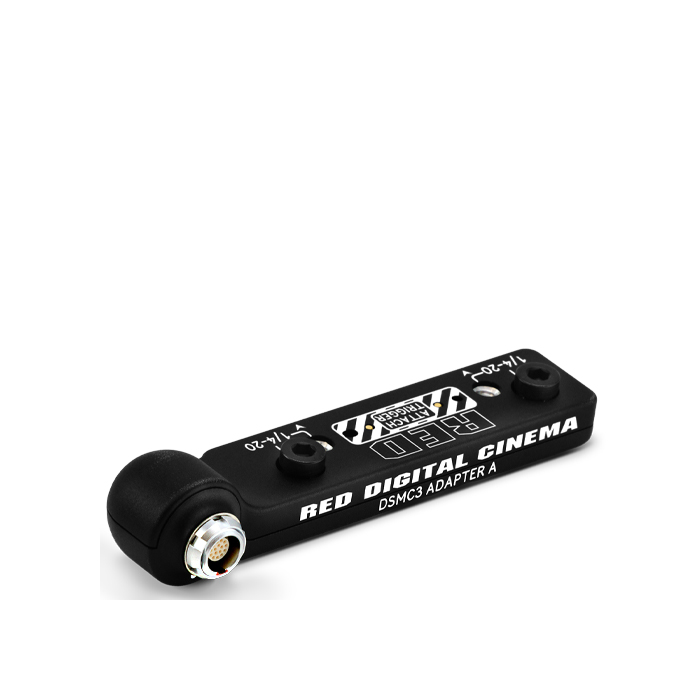
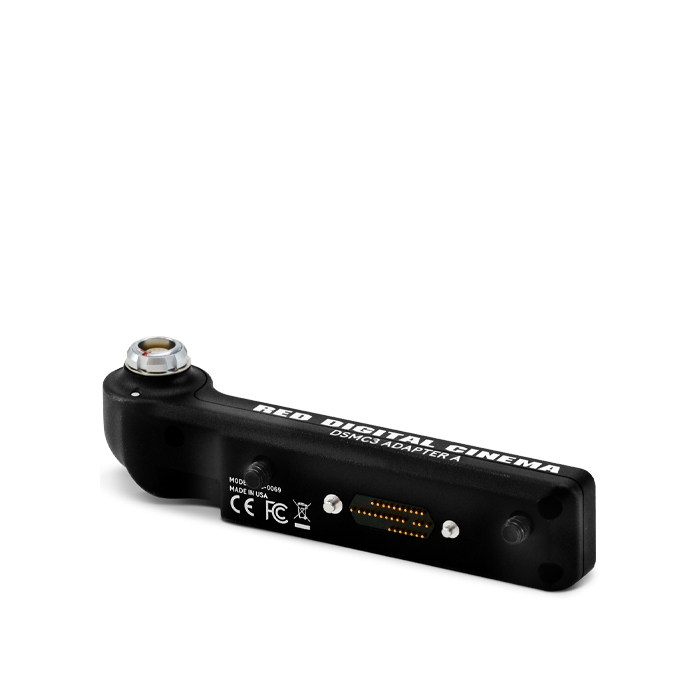
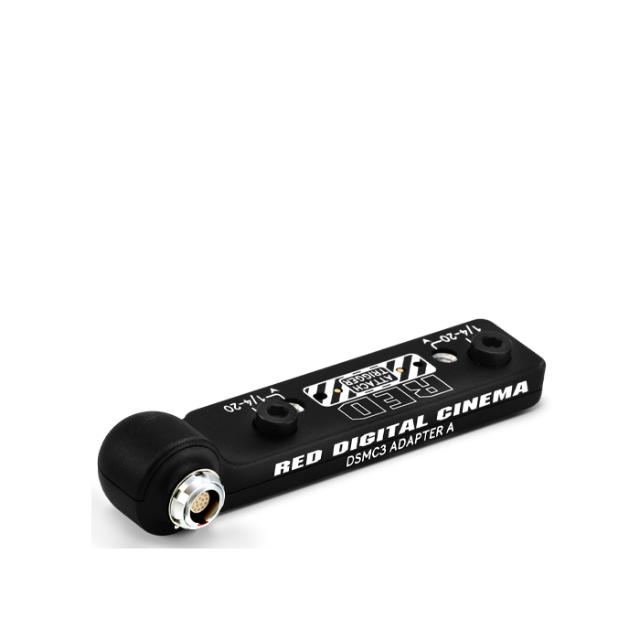
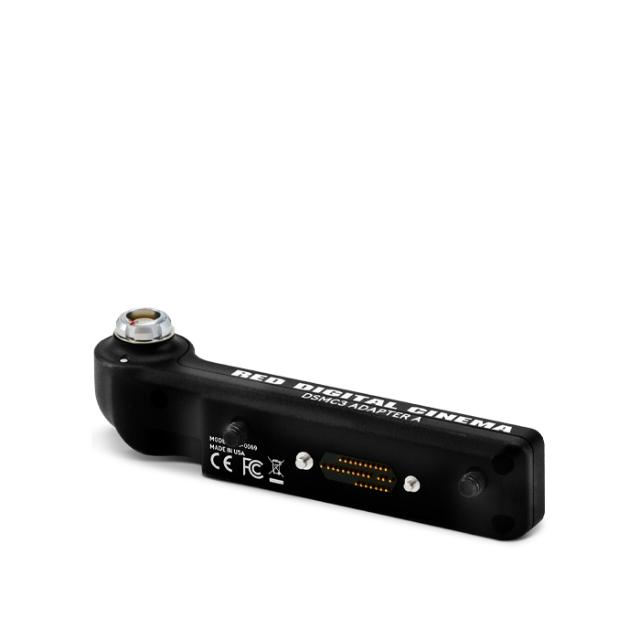
RED DSMC3 Adapter A

DSMC3 Adapter A attaches to the top of the KOMODO-X (firmware support coming late February 2024), the V-RAPTOR, or the V-RAPTOR XL, and it provides a 16-pin output that provides power, video, and control to the RED Compact EVF and DSMC2 RED EVF (OLED).

The DSMC3 Adapter A includes a Run-Stop trigger pass-through that the operator can use for the V­ RAPTOR, for the Compact Top Handles, and for Third-Party accessories.

Notes:

  1. The DSMC3 Adapter A is not compatible with the DSMC3 RED Touch 7.0" LCD or KOMODO Outrigger Handle.
  2. The DSMC3 Adapter A can only be used with and mounted on KOMODO-X, V-RAPTOR and V-RAPTOR XL. KOMODO-X not currently supported, firmware support coming late February 2024
  3. To prevent damage to the camera, the DSMC3 Adapter A should only be attached or removed while the camera is powered off.

Specifikationer

Tillverkare RED
Kategori Expansion unit